
會員登錄

軟體搜尋

您的位置: 網站首頁 >> 專業繪圖 >> 3D動畫CADCAMCAE >> 商品詳情
商品詳情
|
商品編號:CID7200 碟片數量:1片 銷售價格:200 瀏覽次數:11729 

【轉載TXT文檔】 |
您可能也喜歡:
DVD31502--Aquaveo Groundwater Modeling System (GMS) 10.9.2 x64 強大的三維地下水和地表水類比軟體 英文破解版(DVD一片裝)
DVD31513--reaConverter Pro v8.0.167 圖像格式轉換軟體 繁體中文免安裝專業版(DVD一片裝)
DVDP4903--PTC Creo 12.4.1 x64 電腦輔助設計CAD軟體 多國語言破解版(1DVD9+1DVD 此片售價380元)
CID13007--Ashampoo Background Remover 2.0.3 x64 圖片去背景軟體 英文破解版
CID12868--Artweaver Plus 8.0.5.3181 強大的繪圖軟體 英文破解版
商品描述
Logopress3 2015 SP0.3 三維模具設計軟體 英文破解版
![]()
安裝要求:SOLIDWORKS 2015 SP0, 2014 SP4, 2013 SP5 (不支持 SOLIDWORKS 2014 SP3)
破解說明:
1. Install Logopress3 2015 SP0.3
2. Remove (if exist) "license.dat" from folder\site (by default C:\Program Files\Logopress\Logopress3\site)
3. Run SolidWorks, click Logopress3 > Registrations/License Request
4. Do not enter any info in Logopress3 Registration Wizard, just click "Cancel" (two files: "lgpRegInfo.txt" and "InfoRegFile.tmp" will be created in folder "site")
5. Close SolidWorks
6. Copy "LogoPress3.2015.KeyGen.SSQ.exe" to\site and run it (on Vista/Win7 be sure to run it as Administrator- right mouse click > run as Administrator)
you wiil see three fields
"Computer Name" (filled with the name of your computer- mast be English letters and digits only!)
"MAC address" (with drop-down list of active network's cards on you computer. Select the first MAC if there is more than one MACs in the list)
"Checksum" (Initialy is empy. To input checksum open\site\lgpRegInfo.txt with any text editor. Search for string "Checksum = XXXXXXXXXX" (where XXXXXXXX will be Logopress checksum for your computer!)
Copy & past value of Checksum from "lgpRegInfo.txt" to LicGen
7. Click "Generate (LogoPress 2015 Only!)"
8. Input filename "license.dat" and save it to folder\site
9. Close "LogoPress3.2015.KeyGen.SSQ.exe"
10. Enjoy
軟體簡介:
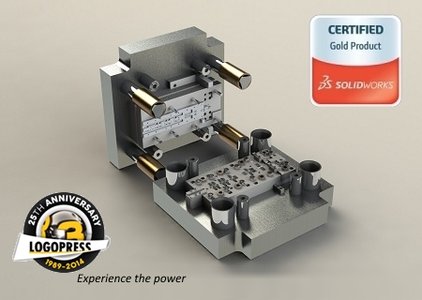
法國LOGOPRESS公司開發的三維模具設計軟體最新推出了2015版本!
它主要用於五金衝壓模的設計,包括級進模,精密沖裁模,多工位模和拉延模具。Logopress3.
是SolidWorks的黃金認證合作夥伴。專業的3D五金模具設計軟體。
主要有以下幾個功能模組:
1、成型件展開,
2、板(條)料帶排樣功能,
3、範本設計功能,
4、沖模設計功能。
安裝要求:SOLIDWORKS 2015 SP0, 2014 SP4, 2013 SP5 (不支持 SOLIDWORKS 2014 SP3)
破解說明:
1. Install Logopress3 2015 SP0.3
2. Remove (if exist) "license.dat" from folder
3. Run SolidWorks, click Logopress3 > Registrations/License Request
4. Do not enter any info in Logopress3 Registration Wizard, just click "Cancel" (two files: "lgpRegInfo.txt" and "InfoRegFile.tmp" will be created in folder "site")
5. Close SolidWorks
6. Copy "LogoPress3.2015.KeyGen.SSQ.exe" to
you wiil see three fields
"Computer Name" (filled with the name of your computer- mast be English letters and digits only!)
"MAC address" (with drop-down list of active network's cards on you computer. Select the first MAC if there is more than one MACs in the list)
"Checksum" (Initialy is empy. To input checksum open
Copy & past value of Checksum from "lgpRegInfo.txt" to LicGen
7. Click "Generate (LogoPress 2015 Only!)"
8. Input filename "license.dat" and save it to folder
9. Close "LogoPress3.2015.KeyGen.SSQ.exe"
10. Enjoy
軟體簡介:
法國LOGOPRESS公司開發的三維模具設計軟體最新推出了2015版本!
它主要用於五金衝壓模的設計,包括級進模,精密沖裁模,多工位模和拉延模具。Logopress3.
是SolidWorks的黃金認證合作夥伴。專業的3D五金模具設計軟體。
主要有以下幾個功能模組:
1、成型件展開,
2、板(條)料帶排樣功能,
3、範本設計功能,
4、沖模設計功能。