
會員登錄

軟體搜尋

您的位置: 網站首頁 >> 專業知識教學 >> 電腦教學認證 >> 商品詳情
商品詳情
|
商品編號:DVD11172 碟片數量:1片 銷售價格:180 瀏覽次數:37992 

【轉載TXT文檔】 |
您可能也喜歡:
CB3999-2--Reference Success Deluxe 2006 "系列一" 英文光碟正式版 (2CD) <<個人電腦軟體包!>>
TIC1636--DesignProVideo Lightroom 2 101 Core Lightroom 2 英文正式版(Lightroom 2 101 Lightroom 2核心教學)
DVD7126--CISSP All in One Exam Guide 4th Edition 英文正式版(CISSP認證考試全面指南教學軟體) (dvd1片裝)
CB3512--KnowledgePresenter Learner Manager Enterprise V1.0.87 學習管理系統 英文正式企業版
TIC0350--DJ PRODUCER SERIES VOL.2 SCRATCHING AND MIXING "DJ樂器教學" DVDRIP 英文正式版
商品描述
Digital Tutors Introduction to Character Rigging in 3DS Max 2010 DVD 英文正式版 (Maya產品角色綁定教學軟體)(DVD一片裝)
![]()
軟體簡介:
Digital Tutors Introduction to Character Rigging in 3DS Max 2010 DVD 英文正式版 (Maya產品角色綁定教學軟體)(DVD一片裝)
官方網址:http://www.digitaltutors.com/09/training.php?cid=106&pid=336
由Digital Tutors 公司2010年6月最新出品的Digital Tutors Character Rigging for Production in Maya 2011
教程,Maya2011產品角色綁定教程,極專業的角色動畫設計與角色骨骼動畫綁定裝配教程.教程時長久9小時之多。
In this course, we'll be taking a step-by-step approach, constructing a control
rig that is solid and animator-friendly. We'll learn everything from proper bone
placement to learning how to utilize 3ds Max's intuitive and robust enveloping
tools to remove the fear of painting weights and, instead, make the process an
enjoyable one. We'll cover how to make our controls efficient and easy to comprehend,
and we'll also learn how to create custom quad menus to quickly access specific tools
so we can speed up our workflow.
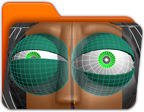
軟體簡介:
Digital Tutors Introduction to Character Rigging in 3DS Max 2010 DVD 英文正式版 (Maya產品角色綁定教學軟體)(DVD一片裝)
官方網址:http://www.digitaltutors.com/09/training.php?cid=106&pid=336
由Digital Tutors 公司2010年6月最新出品的Digital Tutors Character Rigging for Production in Maya 2011
教程,Maya2011產品角色綁定教程,極專業的角色動畫設計與角色骨骼動畫綁定裝配教程.教程時長久9小時之多。
In this course, we'll be taking a step-by-step approach, constructing a control
rig that is solid and animator-friendly. We'll learn everything from proper bone
placement to learning how to utilize 3ds Max's intuitive and robust enveloping
tools to remove the fear of painting weights and, instead, make the process an
enjoyable one. We'll cover how to make our controls efficient and easy to comprehend,
and we'll also learn how to create custom quad menus to quickly access specific tools
so we can speed up our workflow.