
會員登錄

軟體搜尋

您的位置: 網站首頁 >> 專業知識教學 >> 電腦教學認證 >> 商品詳情
商品詳情
|
商品編號:DVD12207 碟片數量:1片 銷售價格:200 瀏覽次數:37667 

【轉載TXT文檔】 |
您可能也喜歡:
TIC0375--Digital Art Tutorials VOL4 英文教學光碟正式版(數位藝術教程系列)
TIC0792-2--VTC Introduction To E-Commerce Tutorial 英文教學光碟正式版 (電子商務教程)(2CD)
TIC0243--Newtek Lightwave 3D World Community Tour 英文教學光碟
TIC1488--CBT NUGGETS出品的培訓課程 英文正式版 CBT NUGGETS CISCO CCVP EXAM-PACK 642-436 CVOICE 6.0-AG
DVD17402--PLURALSIGHT CONFIGURING SHAREPOINT 2013 FARM WITH POWERSHELL 視頻教學 英文教學版(DVD一片裝)
商品描述
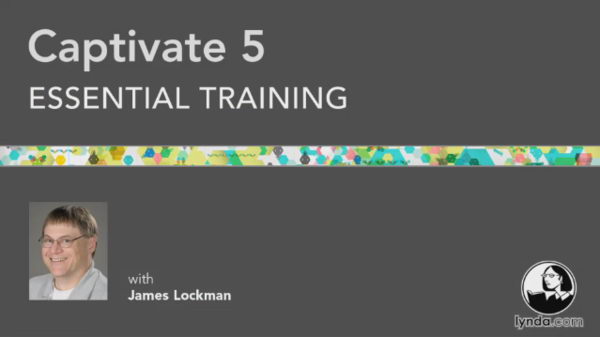
Lynda com Captivate 5 Essential (Captivate 5基礎培訓視頻教學) 英文正式版(DVD一片裝)
![]()
![]()
軟體簡介:
Lynda.com 出品的時長7小時11分的 Captivate 5基礎培訓視頻教學。由James
Lockman講述了Captivate 5的核心功能,用於製作電子教學內容的一般工具,比
如互動演示,點擊類比和個性化評估。以及如何導入和同步PowerPoint演示檔,
添加交互性檔,並加入音頻,視頻和配音。還包括把評估報告同SCORM規範學習
管理系統結合在一起。本教學附帶練習文件。
Captivate 5 Essential Training
Author: James Lockman
In Captivate 5 Essential Training, author James Lockman
demonstrates the core features of Captivate 5, the popular
tool for authoring e-learning content such as interactive
presentations, click-through simulations, and customized
assessments. He shows how to import and sync PowerPoint
presentations, add interactivity, and incorporate audio,
video, and voiceovers. The course also includes tutorials
on assessment reporting and integrating with SCORM-compliant
learning management systems. Exercise files accompany the
course.
Topics include:
* Touring the interface and workspaces
* Building a basic project with shapes, objects, and text
* Branding a presentation using master slides and object styles
* Exploring user-based content at Captivate Exchange
* Animating with the Timeline
* Adding buttons, rollover images, and captions
* Creating branching presentations
* Working with templates
* Recording a simulation
* Creating assessments with customized questions
* Setting up quiz reporting on acrobat.com
* Exporting and sharing a project

軟體簡介:
Lynda.com 出品的時長7小時11分的 Captivate 5基礎培訓視頻教學。由James
Lockman講述了Captivate 5的核心功能,用於製作電子教學內容的一般工具,比
如互動演示,點擊類比和個性化評估。以及如何導入和同步PowerPoint演示檔,
添加交互性檔,並加入音頻,視頻和配音。還包括把評估報告同SCORM規範學習
管理系統結合在一起。本教學附帶練習文件。
Captivate 5 Essential Training
Author: James Lockman
In Captivate 5 Essential Training, author James Lockman
demonstrates the core features of Captivate 5, the popular
tool for authoring e-learning content such as interactive
presentations, click-through simulations, and customized
assessments. He shows how to import and sync PowerPoint
presentations, add interactivity, and incorporate audio,
video, and voiceovers. The course also includes tutorials
on assessment reporting and integrating with SCORM-compliant
learning management systems. Exercise files accompany the
course.
Topics include:
* Touring the interface and workspaces
* Building a basic project with shapes, objects, and text
* Branding a presentation using master slides and object styles
* Exploring user-based content at Captivate Exchange
* Animating with the Timeline
* Adding buttons, rollover images, and captions
* Creating branching presentations
* Working with templates
* Recording a simulation
* Creating assessments with customized questions
* Setting up quiz reporting on acrobat.com
* Exporting and sharing a project