
會員登錄

軟體搜尋

您的位置: 網站首頁 >> 專業知識教學 >> 電腦教學認證 >> 商品詳情
商品詳情
|
商品編號:DVD17697 碟片數量:1片 銷售價格:200 瀏覽次數:37984 

【轉載TXT文檔】 |
您可能也喜歡:
TIC0221--ALIAS MAYA 5 BEGINNERS GUIDE MODELING DVDRIP 英文版 DVD 轉錄教學光碟 (1片裝)
TIC0656--LearnKey Learning System Java 2 Level 2 JAVA 教學 英文版
TIC0377--Digital Art Tutorials VOL1 英文教學光碟正式版(數位藝術教程系列)
TIC0501--Movie FX Vol 2 DVDRip 英文教學光碟正式版 (電影特技效果教程)
TIC0802-2--Train Signal Lab 19 Cisco Routing 英文教學光碟正式版 (2CD)
商品描述
INFINITESKILLS LEARNING MICROSOFT ACCESS 2013 視頻教學 英文教學版(DVD一片裝)
![]()
軟體簡介:
In this Microsoft Access 2013 training course, expert author Guy Vaccaro
teaches you how to use Access to create a database and build an interface
to retrieve and report on your data. This course is designed for the
absolute beginner; no prior database design or Microsoft Access experience
is necessary in order to get the most out of this video tutorial.
Starting with a tour of the interface, this computer based training video
will show you how to design and create a table, build queries, and
comprehensively demonstrates the creation, and functions, of forms and
reports. As you move through the video tutorial, Guy covers other topics
such as; how to create advanced forms, customizing your reports, and building
action queries. Finally, he will take you through the process of creating
your own custom web app with Access 2013.
By the completion of this training course, you will be capable of creating
databases as well as reports and forms in Microsoft Access 2013, and you
will have in-depth knowledge of the tools and functions available to you
in this software. Working files are included, allowing you to follow along
with the author throughout the lessons.
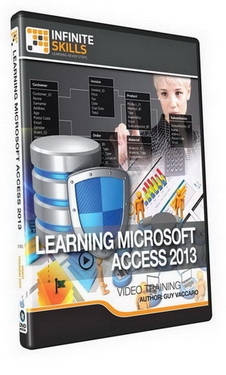
軟體簡介:
In this Microsoft Access 2013 training course, expert author Guy Vaccaro
teaches you how to use Access to create a database and build an interface
to retrieve and report on your data. This course is designed for the
absolute beginner; no prior database design or Microsoft Access experience
is necessary in order to get the most out of this video tutorial.
Starting with a tour of the interface, this computer based training video
will show you how to design and create a table, build queries, and
comprehensively demonstrates the creation, and functions, of forms and
reports. As you move through the video tutorial, Guy covers other topics
such as; how to create advanced forms, customizing your reports, and building
action queries. Finally, he will take you through the process of creating
your own custom web app with Access 2013.
By the completion of this training course, you will be capable of creating
databases as well as reports and forms in Microsoft Access 2013, and you
will have in-depth knowledge of the tools and functions available to you
in this software. Working files are included, allowing you to follow along
with the author throughout the lessons.