
會員登錄

軟體搜尋

您的位置: 網站首頁 >> 專業知識教學 >> 電腦教學認證 >> 商品詳情
商品詳情
|
商品編號:TIC2081 碟片數量:1片 銷售價格:200 瀏覽次數:37667 

【轉載TXT文檔】 |
您可能也喜歡:
DVDP4430--零基礎學習Rhino6.0軟體-附加素材檔 中文教學版(DVD9一片裝 此片售價200元)
DVDP4356--The Gnomon Workshop - Designing Spaceships for Games 遊戲太空船概念設計教學 英文教學版(DVD9一片裝 此片售價200元)
DVD29830--The Gnomon Workshop - The Art of Visual Storytelling 視覺故事概念設計教學 英文教學版(DVD一片裝)
TIC3086--新多益滿分講師授課:全新制NEW TOEIC多益閱讀高分關鍵+狠準擬真試題+解析 繁體中文教學版
DVDP4341--Unreal Engine 5 The Complete Automotive Cinematic Course (UE5 電影感車輛製作教學) 英文教學版(DVD9一片裝 此片售價200元)
商品描述
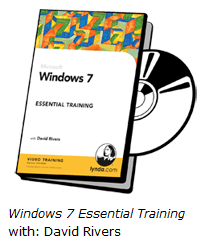
Lynda com Microsoft Windows 7 Tips And Tricks (Windows 7教學) 英文正式版
![]()
軟體簡介:
Windows 7教學
Introduction
Welcome
1. The Top 10
Accessing hidden regional themes and wallpapers
Getting a power efficiency report for your laptop .
Customizing the shutdown button
Selecting multiple files with checkboxes
Protecting your privacy in Windows Explorer searches
Resurrecting the Quick Launch bar
Showing Control Panel menus on the Start menu
Accessing Command Prompt from any folder
Displaying access to videos on the Start menu
Searching the internet from the Start menu
2. Timesaving Keyboard and Mouse Shortcuts
Previewing files in Windows Explorer
Minimizing, maximizing, or stretching a window
Organizing windows on one half of your desktop
Shifting focus to a single window
Opening new Windows Explorer windows
Managing multiple monitors
Launching new windows from the taskbar
Cycling through open programs
Sneaking a peek at the desktop
Cycling through instances with your mouse
3. Display Tweaks
Rearranging taskbar and notification icons
Displaying full names on the taskbar
Calibrating text rendering and color
Shuffling your desktop background images
Disabling taskbar balloon tips
4. Efficiency Tweaks
Launching web pages directly from the taskbar
Putting desktop access on the taskbar
Changing Explorer's default landing folder
Showing an expanded list of Send To options
Displaying full paths in both panes of Windows Explorer
Pinning the Recycle Bin to the taskbar
Creating your own libraries
Accessing all Control Panel options in one place
5. Tools and Utilities
Using calculator templates
Tracking actions with Problem Steps Recorder
Burning ISO files to CD or DVD
Opening .docx files without Word
Locking down programs with AppLocker
Creating a system repair disk
6. Performance Tweaks
Indexing file types for faster searches
Running older programs using Compatibility mode
Turning windows features on or off
Preventing data loss due to automatic updates
Configuring volume settings for individual programs
Modifying hibernation settings
Conclusion
What's next?
軟體簡介:
Windows 7教學
Introduction
Welcome
1. The Top 10
Accessing hidden regional themes and wallpapers
Getting a power efficiency report for your laptop .
Customizing the shutdown button
Selecting multiple files with checkboxes
Protecting your privacy in Windows Explorer searches
Resurrecting the Quick Launch bar
Showing Control Panel menus on the Start menu
Accessing Command Prompt from any folder
Displaying access to videos on the Start menu
Searching the internet from the Start menu
2. Timesaving Keyboard and Mouse Shortcuts
Previewing files in Windows Explorer
Minimizing, maximizing, or stretching a window
Organizing windows on one half of your desktop
Shifting focus to a single window
Opening new Windows Explorer windows
Managing multiple monitors
Launching new windows from the taskbar
Cycling through open programs
Sneaking a peek at the desktop
Cycling through instances with your mouse
3. Display Tweaks
Rearranging taskbar and notification icons
Displaying full names on the taskbar
Calibrating text rendering and color
Shuffling your desktop background images
Disabling taskbar balloon tips
4. Efficiency Tweaks
Launching web pages directly from the taskbar
Putting desktop access on the taskbar
Changing Explorer's default landing folder
Showing an expanded list of Send To options
Displaying full paths in both panes of Windows Explorer
Pinning the Recycle Bin to the taskbar
Creating your own libraries
Accessing all Control Panel options in one place
5. Tools and Utilities
Using calculator templates
Tracking actions with Problem Steps Recorder
Burning ISO files to CD or DVD
Opening .docx files without Word
Locking down programs with AppLocker
Creating a system repair disk
6. Performance Tweaks
Indexing file types for faster searches
Running older programs using Compatibility mode
Turning windows features on or off
Preventing data loss due to automatic updates
Configuring volume settings for individual programs
Modifying hibernation settings
Conclusion
What's next?