
會員登錄

軟體搜尋

您的位置: 網站首頁 >> 專業知識教學 >> 電腦教學認證 >> 商品詳情
商品詳情
|
商品編號:TIC2167 碟片數量:1片 銷售價格:200 瀏覽次數:39543 

【轉載TXT文檔】 |
您可能也喜歡:
DVD5021--Red Giant Knoll Light Factory Training DVD-TACTiLE 英文正式版(專為視覺特效軟體所設計的教程)(dvd)
DVD11009--Gnomon Master Classes 2009 Music Video Post 英文正式版(2009 異形生物角色高級創建教學)(DVD一片裝)
TIC0631--Vilppu Studio Drawing Manual Chapter 1 Gesture 英文教學光碟正式版 (DVD 轉錄視訊教學)
TIC1585--Kelby Training Going Deeper Into Apple Motion 英文正式版(Apple Motion深入探討教學)
TIC1441--GeoGebra 2008 v3.0官方多語繁中自由版(屢獲大獎的動態數學教育軟體)
商品描述
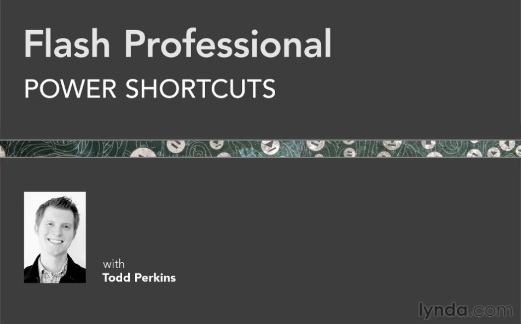
Lynda com Flash Professional Power Shortcuts (Flash Professional快速入門視頻教學) 英文正式版
![]()
軟體簡介:
Lynda.com 出品的時長2小時13分鐘的Flash Professional快速入門視頻教學。由
Todd Perkins幫助設計者能夠快速使用各種版本的Flash Professional軟體的技術
,秘訣和技巧。內容包括設計與動畫物件,管理多個圖庫,編寫與代碼導航,優化
點陣圖與音頻等等。本教學附帶練習文件。
In Flash Professional Power Shortcuts, author Todd Perkins helps
designers build their power user skills with an array of timesaving
tips, tricks, and techniques that work in multiple versions of Flash
Professional. Beginning with Todd's top 20 shortcuts, the course
includes tips for designing and animating artwork, managing multiple
libraries, writing and navigating through code, optimizing bitmaps
and audio, and much more. Exercise files accompany the course.
Topics include:
Editing multiple frames
Finding and replacing content
Importing sequences of images
Enabling buttons and ActionScript without testing the movie
Creating custom shortcuts with the History panel
Animating with easing presets
Setting onion skinning and onion skinning outlines
Embedding fonts
Adding vars in a text field
Using code snippets and behaviors
Fixing coding errors
Limiting SWF file sizes
Optimizing Flash Player performance with a preloader
Additional Flash CS5.5 shortcuts
軟體簡介:
Lynda.com 出品的時長2小時13分鐘的Flash Professional快速入門視頻教學。由
Todd Perkins幫助設計者能夠快速使用各種版本的Flash Professional軟體的技術
,秘訣和技巧。內容包括設計與動畫物件,管理多個圖庫,編寫與代碼導航,優化
點陣圖與音頻等等。本教學附帶練習文件。
In Flash Professional Power Shortcuts, author Todd Perkins helps
designers build their power user skills with an array of timesaving
tips, tricks, and techniques that work in multiple versions of Flash
Professional. Beginning with Todd's top 20 shortcuts, the course
includes tips for designing and animating artwork, managing multiple
libraries, writing and navigating through code, optimizing bitmaps
and audio, and much more. Exercise files accompany the course.
Topics include:
Editing multiple frames
Finding and replacing content
Importing sequences of images
Enabling buttons and ActionScript without testing the movie
Creating custom shortcuts with the History panel
Animating with easing presets
Setting onion skinning and onion skinning outlines
Embedding fonts
Adding vars in a text field
Using code snippets and behaviors
Fixing coding errors
Limiting SWF file sizes
Optimizing Flash Player performance with a preloader
Additional Flash CS5.5 shortcuts