
會員登錄

軟體搜尋

您的位置: 網站首頁 >> 專業知識教學 >> 電腦教學認證 >> 商品詳情
商品詳情
|
商品編號:TIC2456 碟片數量:1片 銷售價格:200 瀏覽次數:37963 

【轉載TXT文檔】 |
您可能也喜歡:
TIC1500--VTC出品的教程:Apple Final Cut Pro 6快速入門 英文正式版 VTC QuickStart Apple Final Cut Pro 6 SUB100-CFE
DVD7072--JAMES SULKOWSKI SUNSET OVER 英文正式版(經典版畫系列視頻教學)(dvd1片裝)
CB0665--Sybex CCA Citrix MetaFrame XP 1.0 Administration Study Guide
CB1050-2--新火星人-Maya造型風暴 繁/簡中文正式版 (2CD)
DVD5723--MAYA火星講堂 人講堂視訊教學 DVD_6(分子系統)(dvd1片裝)
商品描述
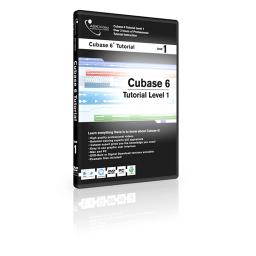
Ask Video Cubase 6 501 Working with Cubase 6 Level 1 視頻教學 英文教學版
![]()
軟體簡介:
We will take you through everything you need to know to get started and
explore some of the advanced new features of Cubase 6. We’ll see how
workflow has improved greatly with the new version and take an in-depth
look at the incredible new Amp Rack system. We’ll show you how making a
remix has never been easier thanks to the all new Tempo Detection feature,
and how the revolutionary new Group Editing function will save you hours
of repetitive work.
1. MIDI Setup.mp4
2. Audio Setup.mp4
3. New Project.mp4
4. Tracks.mp4
5. Track Presets.mp4
6. The Transport.mp4
7. The Project Page.mp4
8. Tools 1.mp4
9. Tools 2.mp4
10. Customizing.mp4
11. Real or Virtual MIDI.mp4
12. MIDI Recording.mp4
13. VST Connections.mp4
14. Basic Recording.mp4
15. Recording Details.mp4
16. Looping.mp4
17. Loop Recording 1.mp4
18. Loop Recording 2.mp4
19. Autoscroll.mp4
20. Grids & Snap.mp4
21. MIDI Editing.mp4
22. Audio Editing 1.mp4
23. Audio Editing 2.mp4
24. Group editing.mp4
25. The Event Info line.mp4
26. Managing Audio 1.mp4
27. Managing Audio 2.mp4
28. The Mixer 1.mp4
29. The Mixer 2.mp4
30. The Arranger Track.mp4
31. Key Commands & Macros.mp4
32. Workspaces.mp4
33. Virtual Keyboard.mp4
34. The Amp Rack.mp4
35. Tempo Detection .mp4
軟體簡介:
We will take you through everything you need to know to get started and
explore some of the advanced new features of Cubase 6. We’ll see how
workflow has improved greatly with the new version and take an in-depth
look at the incredible new Amp Rack system. We’ll show you how making a
remix has never been easier thanks to the all new Tempo Detection feature,
and how the revolutionary new Group Editing function will save you hours
of repetitive work.
1. MIDI Setup.mp4
2. Audio Setup.mp4
3. New Project.mp4
4. Tracks.mp4
5. Track Presets.mp4
6. The Transport.mp4
7. The Project Page.mp4
8. Tools 1.mp4
9. Tools 2.mp4
10. Customizing.mp4
11. Real or Virtual MIDI.mp4
12. MIDI Recording.mp4
13. VST Connections.mp4
14. Basic Recording.mp4
15. Recording Details.mp4
16. Looping.mp4
17. Loop Recording 1.mp4
18. Loop Recording 2.mp4
19. Autoscroll.mp4
20. Grids & Snap.mp4
21. MIDI Editing.mp4
22. Audio Editing 1.mp4
23. Audio Editing 2.mp4
24. Group editing.mp4
25. The Event Info line.mp4
26. Managing Audio 1.mp4
27. Managing Audio 2.mp4
28. The Mixer 1.mp4
29. The Mixer 2.mp4
30. The Arranger Track.mp4
31. Key Commands & Macros.mp4
32. Workspaces.mp4
33. Virtual Keyboard.mp4
34. The Amp Rack.mp4
35. Tempo Detection .mp4