
會員登錄

軟體搜尋

您的位置: 網站首頁 >> 專業知識教學 >> 電腦教學認證 >> 商品詳情
商品詳情
|
商品編號:TIC2459 碟片數量:1片 銷售價格:200 瀏覽次數:37963 

【轉載TXT文檔】 |
您可能也喜歡:
DVD7494--CBT NUGGETS CISCO Exam Pack 642.453 GWGK DVD 英文正式版(考試教學)(dvd一片裝)
DVDX0187--Lick Library推出的M-Channel吉他彈奏入門教學 英文正式版 Lick Library M-Channel Guitar Series Beginners DVDR D2-DYNAMiCS(dvd9一片裝)(此片售價250元)
CB1849-2--博威亞 CCNA "思科 640-607 考試系列教學" 繁體中文光碟正式版 (2CD )
DVDX0186--Lick Library推出的M-Channel吉他彈奏入門教學 英文正式版 Lick Library M-Channel Guitar Series Beginners DVDR D1-DYNAMiCS(dvd9一片裝)(此片售價250元)
TIC1542--the gnomon workshop 出品的教學:歷史佈景設計2 英文正式版 Gnomon Digital Training Historical Set Design
商品描述
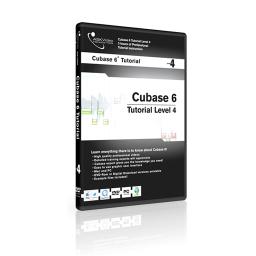
Ask Video Cubase 6 504 Working with Cubase 6 Level 4 視頻教學 英文教學版
![]()
軟體簡介:
We will take you through everything you need to know to get started and
explore some of the advanced new features of Cubase 6. We’ll see how
workflow has improved greatly with the new version and take an in-depth
look at the incredible new Amp Rack system. We’ll show you how making a
remix has never been easier thanks to the all new Tempo Detection feature,
and how the revolutionary new Group Editing function will save you hours
of repetitive work.
1. Audio Warp 1.mp4
2. Audio Warp 2.mp4
3. Advanced VariAudio 1.mp4
4. Advanced VariAudio 2.mp4
5. Advanced Panning.mp4
6. EQ Types.mp4
7. Archiving your Work.mp4
8. Event Automation.mp4
9. Metronome Setup.mp4
10. Signature Tracks.mp4
11. Video Track.mp4
12. Templates.mp4
13. Drum Editing Deluxe 1.mp4
14. Drum Editing Deluxe 2.mp4
15. ReWire.mp4
16. Using the CC121 Controller 1.mp4
17. Using the CC121 Controller 2.mp4
18. MR816 Cubase Integration 1.mp4
19. MR816 Cubase Integration 2.mp4
20. REVerence 1.mp4
21. REVerence 2.mp4
22. Embracer.mp4
23. Monologue 1.mp4
24. Monologue 2.mp4
25. Monologue 3.mp4
26. Mystic 1.mp4
27. Mystic 2.mp4
28. Mystic 3.mp4
29. Prologue 1.mp4
30. Prologue 2.mp4
31. Prologue 3.mp4
32. Spector 1.mp4
33. Spector 2.mp4
34. Halion Sonic SE 1.mp4
35. Halion Sonic SE 2.mp4
36. Halion Sonic SE 3.mp4
37. Multi-Timbral Instruments .mp4
軟體簡介:
We will take you through everything you need to know to get started and
explore some of the advanced new features of Cubase 6. We’ll see how
workflow has improved greatly with the new version and take an in-depth
look at the incredible new Amp Rack system. We’ll show you how making a
remix has never been easier thanks to the all new Tempo Detection feature,
and how the revolutionary new Group Editing function will save you hours
of repetitive work.
1. Audio Warp 1.mp4
2. Audio Warp 2.mp4
3. Advanced VariAudio 1.mp4
4. Advanced VariAudio 2.mp4
5. Advanced Panning.mp4
6. EQ Types.mp4
7. Archiving your Work.mp4
8. Event Automation.mp4
9. Metronome Setup.mp4
10. Signature Tracks.mp4
11. Video Track.mp4
12. Templates.mp4
13. Drum Editing Deluxe 1.mp4
14. Drum Editing Deluxe 2.mp4
15. ReWire.mp4
16. Using the CC121 Controller 1.mp4
17. Using the CC121 Controller 2.mp4
18. MR816 Cubase Integration 1.mp4
19. MR816 Cubase Integration 2.mp4
20. REVerence 1.mp4
21. REVerence 2.mp4
22. Embracer.mp4
23. Monologue 1.mp4
24. Monologue 2.mp4
25. Monologue 3.mp4
26. Mystic 1.mp4
27. Mystic 2.mp4
28. Mystic 3.mp4
29. Prologue 1.mp4
30. Prologue 2.mp4
31. Prologue 3.mp4
32. Spector 1.mp4
33. Spector 2.mp4
34. Halion Sonic SE 1.mp4
35. Halion Sonic SE 2.mp4
36. Halion Sonic SE 3.mp4
37. Multi-Timbral Instruments .mp4