
會員登錄

軟體搜尋

您的位置: 網站首頁 >> 專業影音 >> 多媒體製作 >> 商品詳情
商品詳情
|
商品編號:ULE14396 語系版本:英文破解版 商品類型:PowerPoint轉Flash的轉換軟體 運行平台:WindowsR7/8/1064-bit 更新日期:2024-05-28 碟片數量:1片 銷售價格:200 瀏覽次數:6507 

【轉載TXT文檔】 |
您可能也喜歡:
ULE15052--SolveigMM Video Splitter 8.1.2508.21 x64 Broadcast Edition 強大的無損視頻編輯軟體 英文破解版
ULE15054--TapinRadio Pro 2.16.10 x64 x86 全球各地的廣播電臺收聽軟體 英文破解版
ULE15058--VideoMeld 1.80 x64 多軌數位音頻和視頻編輯軟體 英文破解版
ULE15074--AVS Video Editor 11.1.3.4 強大的視頻剪輯軟體 英文破解版
ULE15075--AVS Video ReMaker 8.1.3.4 強大的視頻剪輯軟體 英文破解版
商品描述
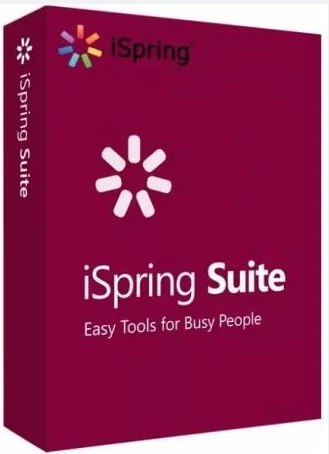
iSpring Suite 11.3.6 x64 (PowerPoint轉Flash的轉換軟體) 英文破解版
![]()
iSpring Suite 11.3.6 x64 (PowerPoint轉Flash的轉換軟體) 英文破解版 -=-=-=-=-=-=-=-=-=-=-=-=-=-=-=-=-=-=-=-=-=-=-=-=-=-=-=-=-=-=-=-=-=-=-=-= 軟體名稱:iSpring Suite 11.3.6 x64 (PowerPoint轉Flash的轉換軟體) 英文破解版 語系版本:英文破解版 光碟片數:單片裝 破解說明: 系統支援:WindowsR 7/8/10 64-bit 軟體類型:PowerPoint轉Flash的轉換軟體 硬體需求:PC 更新日期:2024-05-28 官方網站: 中文網站: 軟體簡介: 銷售價格:$80元 -=-=-=-=-=-=-=-=-=-=-=-=-=-=-=-=-=-=-=-=-=-=-=-=-=-=-=-=-=-=-=-=-=-=-=-= 破解說明: 1、首先運行安裝程式進行安裝! 2、安裝完成後記得先不要運行程式! 3、複製Patch.exe程式到安裝目錄! 4、運行Patch.exe,點擊Patch按鈕對根源程式(即所安裝程式的主程序)打補丁即可。 5、切記,打補丁時一定要關閉(即所安裝程式的主程序).否則會失敗的! 6、恭喜你,你成功了。^_^ 軟體簡介: iSpring Suite 是一款PowerPoint轉Flash工具,使用iSpring Suite 8可以輕鬆 的將PPT演示文檔轉換為對Web友好的Flash影片格式。軟體介面簡潔,使用方便。 為什麼要轉換成flash格式呢?Flash格式的最大特點是體積小巧、易於分發,相 容所有的作業系統和流覽器等。 iSpring Suite simply adds a tab to the PowerPoint banner and provides access to all the advanced e-Learning features right in the familiar PowerPoint environment. Create compelling courses, video lectures, quizzes and assessments. Using a wide variety of e-Learning materials, your presentations will make the learning process far more effective for your students……. -=-=-=-=-=-=-=-=-=-=-=-=-=-=-=-=-=-=-=-=-=-=-=-=-=-=-=-=-=-=-=-=-=-=-=-=
iSpring Suite 11.3.6 x64 (PowerPoint轉Flash的轉換軟體) 英文破解版 -=-=-=-=-=-=-=-=-=-=-=-=-=-=-=-=-=-=-=-=-=-=-=-=-=-=-=-=-=-=-=-=-=-=-=-= 軟體名稱:iSpring Suite 11.3.6 x64 (PowerPoint轉Flash的轉換軟體) 英文破解版 語系版本:英文破解版 光碟片數:單片裝 破解說明: 系統支援:WindowsR 7/8/10 64-bit 軟體類型:PowerPoint轉Flash的轉換軟體 硬體需求:PC 更新日期:2024-05-28 官方網站: 中文網站: 軟體簡介: 銷售價格:$80元 -=-=-=-=-=-=-=-=-=-=-=-=-=-=-=-=-=-=-=-=-=-=-=-=-=-=-=-=-=-=-=-=-=-=-=-= 破解說明: 1、首先運行安裝程式進行安裝! 2、安裝完成後記得先不要運行程式! 3、複製Patch.exe程式到安裝目錄! 4、運行Patch.exe,點擊Patch按鈕對根源程式(即所安裝程式的主程序)打補丁即可。 5、切記,打補丁時一定要關閉(即所安裝程式的主程序).否則會失敗的! 6、恭喜你,你成功了。^_^ 軟體簡介: iSpring Suite 是一款PowerPoint轉Flash工具,使用iSpring Suite 8可以輕鬆 的將PPT演示文檔轉換為對Web友好的Flash影片格式。軟體介面簡潔,使用方便。 為什麼要轉換成flash格式呢?Flash格式的最大特點是體積小巧、易於分發,相 容所有的作業系統和流覽器等。 iSpring Suite simply adds a tab to the PowerPoint banner and provides access to all the advanced e-Learning features right in the familiar PowerPoint environment. Create compelling courses, video lectures, quizzes and assessments. Using a wide variety of e-Learning materials, your presentations will make the learning process far more effective for your students……. -=-=-=-=-=-=-=-=-=-=-=-=-=-=-=-=-=-=-=-=-=-=-=-=-=-=-=-=-=-=-=-=-=-=-=-=